MCP skills server
Serve your skills to every agent.
Write reusable skills — instructions, playbooks, references — as markdown, and serve them to agents over
MCP. Every skill is both a callable tool and a
skill:// resource. Point a client at one endpoint for all of them, or a
workspace for just the subset an agent should see.
http://host:3000/mcp
every skill
http://host:3000/mcp/w/<slug>
one workspace
See it
A React web UI for authoring skills and grouping them into workspaces — a live split-pane markdown editor, full CRUD, and a file manager for directory-format skills. Shown here in dark mode.
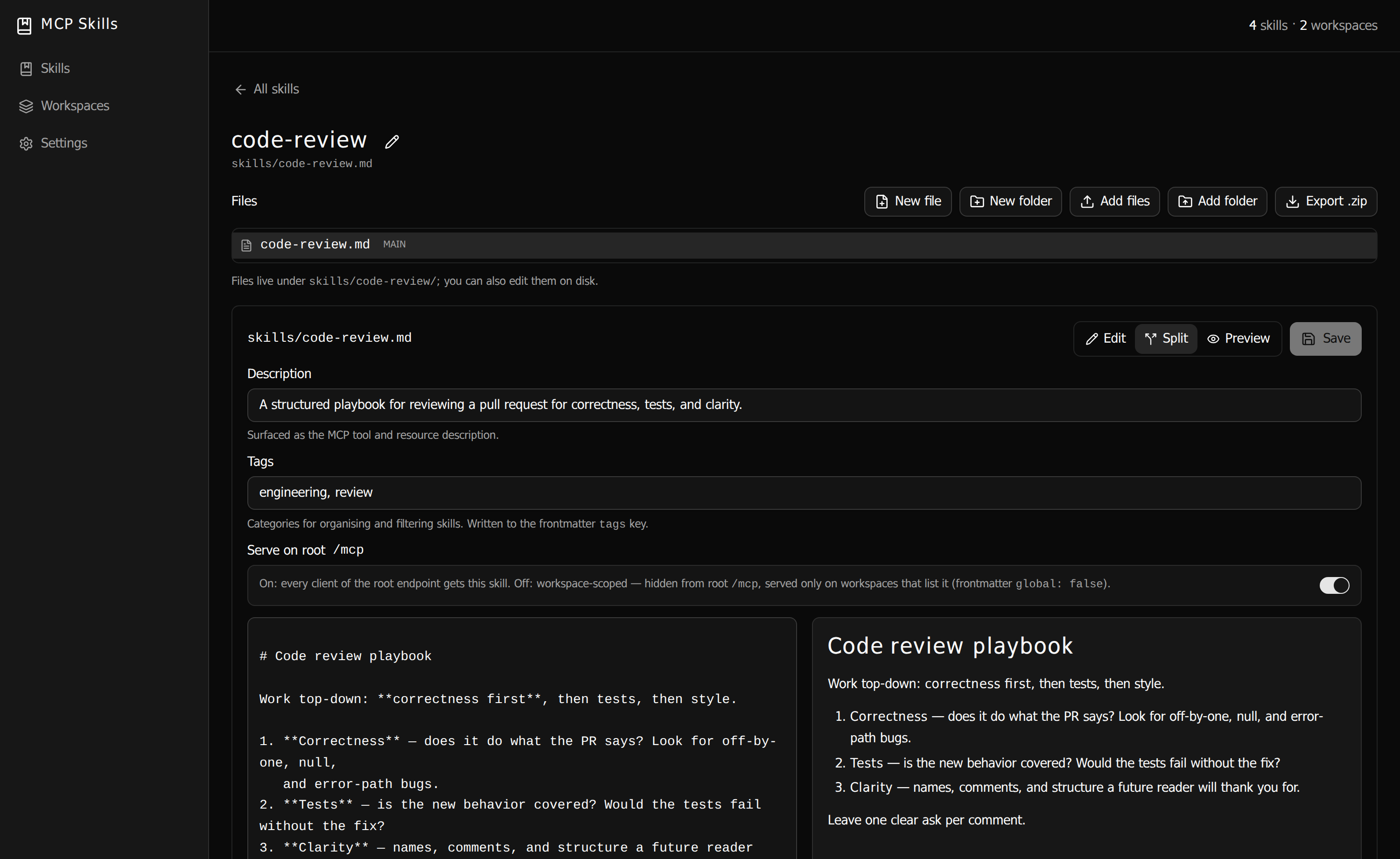
/mcp endpoint.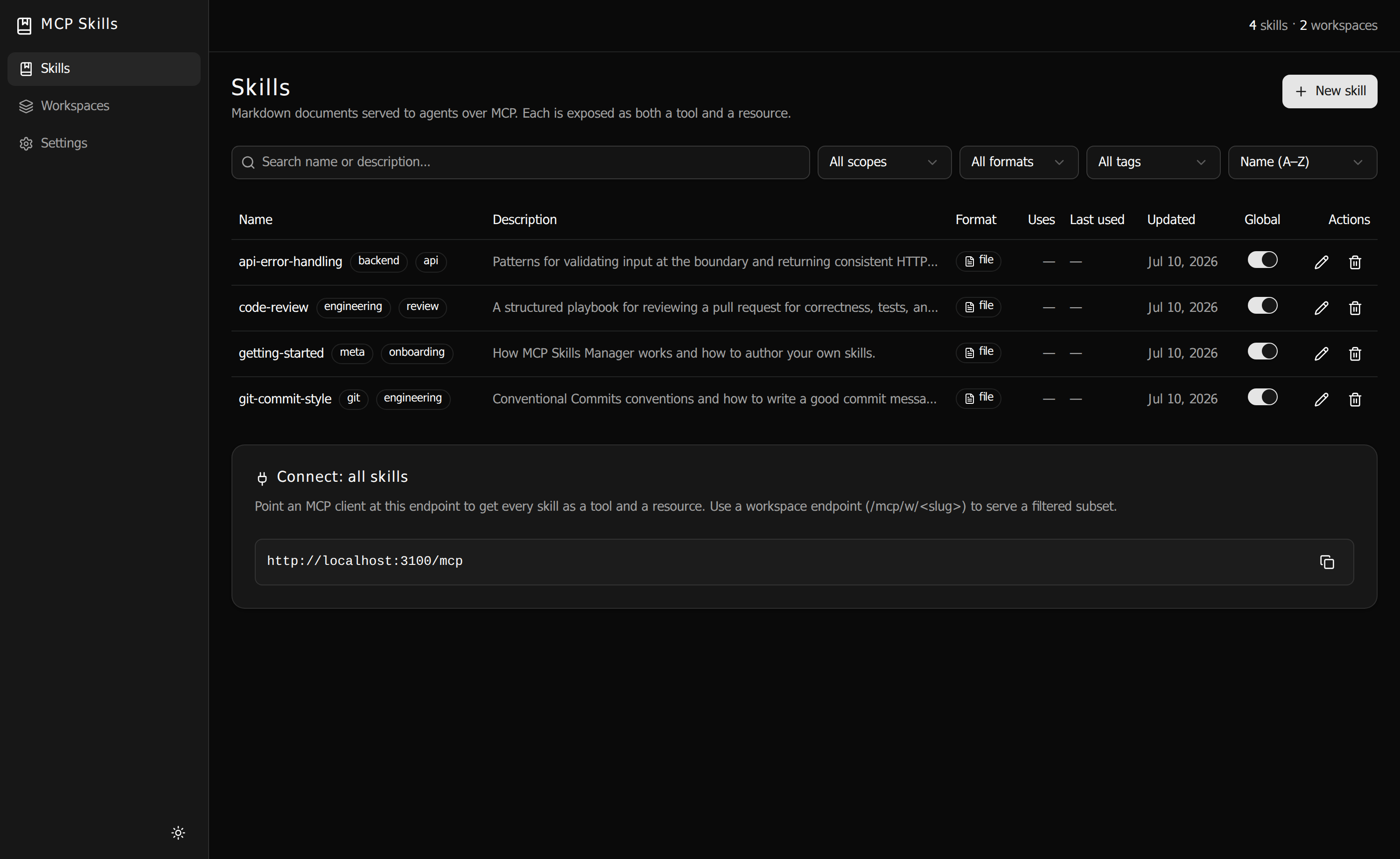
skill:// resource.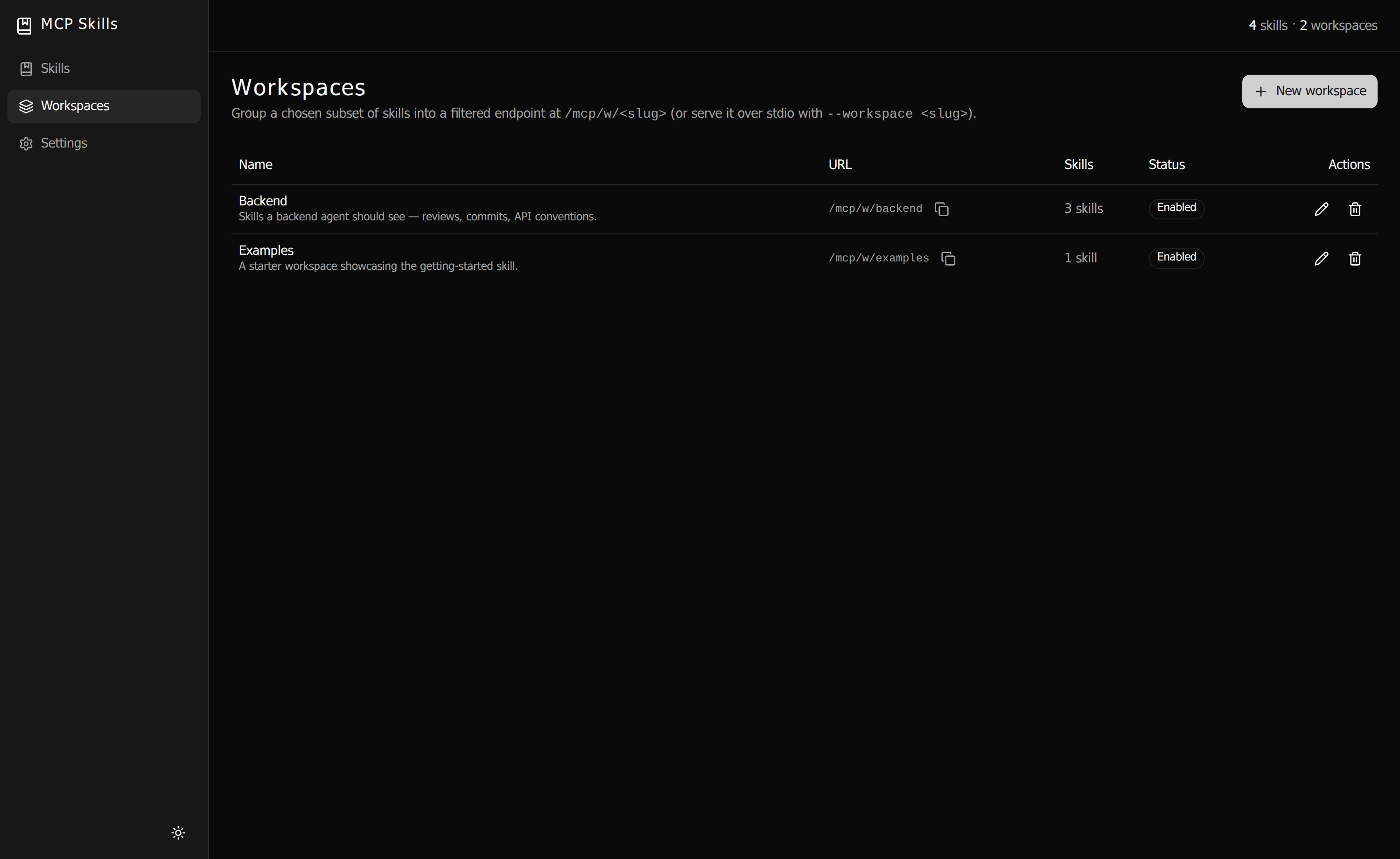
/mcp/w/<slug> — one URL per agent.What it does
Skills as tools
Each skill is exposed as an MCP tool — calling it returns the skill's markdown body, plus a note listing
any bundled supporting files. Or switch to loader mode for a single
load_skill tool that keeps the footprint fixed. Agents pull a skill on demand.
Discovery meta-tools
Every endpoint exposes list_skills and search_skills — a one-line-per-skill catalogue an agent
can browse or filter by intent and tags to decide what to load, without pulling any bodies.
Self-authoring
Agents can create and refine their own skills over MCP — create_skill,
update_skill, and file tools, gated on a setting. Skills authored via a workspace scope to it.
Skills as resources
The same content is served as an MCP resource at skill://<name>, for clients that
browse and attach resources rather than call tools — with templates, argument completion, pagination,
and live-update subscriptions when skills change on disk.
Workspaces
Group a chosen subset of skills into a workspace at its own
/mcp/w/<slug> URL. Hand each agent exactly the skills it needs — nothing more.
Web editor
A React web UI with a live split-pane markdown editor, full skill CRUD, and a file/folder manager for
directory-format skills — create, rename, upload, and export as a .zip.
Two skill formats
A flat <name>.md file, or a <name>/SKILL.md directory (the Claude
Code convention) with supporting files alongside it. Both use YAML frontmatter.
HTTP & stdio
Serve over streamable HTTP for networked clients, or over stdio for local ones with the
mcp-skills-stdio binary — optionally scoped to a single workspace.
Flat-file config
Skills and workspaces are plain files on disk under DATA_DIR — hand-editable, watched, and
hot-reloaded. The web UI and the filesystem are two views of the same source of truth.
One token, one door
A single bearer token guards the management API and every MCP endpoint. Disable it for trusted local
networks with SECURE_LOCAL_NET=true.
How it works
/mcp →DATA_DIR/skills
The server validates the bearer token, then exposes every skill (or a workspace's subset) as an MCP tool and a
skill:// resource. Calling a skill's tool returns its markdown body; directory-format skills also
list their bundled supporting files so the agent knows they exist.
Quickstart
Docker recommended · no clone
Pull the prebuilt image and run it — nothing to build:
docker run -d -p 3000:3000 -v ./data:/data \
  -e MCP_SKILLS_TOKEN=your-secret-token \
  vantreeseba/mcp-skills-manager:latest
Open http://localhost:3000, enter your token, and start writing skills. All state lives in
./data, bind-mounted to /data in the container — delete the container anytime;
your skills and config stay on the host. Every release is published to
Docker Hub (vantreeseba/mcp-skills-manager) and GHCR
(ghcr.io/cubicecho/mcp-skills-manager), tagged latest and the semver version.
Docker Compose
Prefer Compose, or want to build from source and tweak it? Clone the repo and bring it up:
git clone https://github.com/cubicecho/mcp-skills-manager && cd mcp-skills-manager
cp .env.example .env      # set a real MCP_SKILLS_TOKEN
docker compose up -d
The bundled docker-compose.yml mounts ./data at /data and serves on
:3000.
Bare Node Node ≥ 22.18
npm install
npm run build    # shared → server → app
MCP_SKILLS_TOKEN=your-secret-token npm start
Listens on port 3000 (override with PORT) and serves the built web UI alongside the MCP and
management endpoints. For development, npm run dev runs the server on :3001 and the
Vite UI on :3000; on first run a token is generated into
data/config/settings.json and logged.
Connect a client
Point Claude Code at the aggregate endpoint — every skill, as a tool and a resource:
claude mcp add --transport http skills http://localhost:3000/mcp \
  --header "Authorization: Bearer <token>"
Or a workspace — just the skills that client should see:
claude mcp add --transport http backend http://localhost:3000/mcp/w/backend \
  --header "Authorization: Bearer <token>"
Or run it locally over stdio with the packaged binary:
{
  "mcpServers": {
    "skills": {
      "command": "mcp-skills-stdio",
      "args": ["--data-dir", "/path/to/data", "--workspace", "backend"]
    }
  }
}
Write skills once. Serve them everywhere.
Read the full configuration and API reference, or grab the source.